

.png)
March was one of our busiest months yet. We shipped 13 updates across Ask, Reviews, and Associate, including some of the features that were requested most by customers.
So with that, let’s get into it.
Ask got smarter and learned to listen.
With Ask, it’s now even easier to get the guidance you need without breaking stride, whether that’s a question about the document in front of you or about Spellbook itself.
Dictation (via the Word Add-In)
Let’s say you’re deep in a contract and need to ask Spellbook something, but switching to the keyboard will pull you out of your flow state.
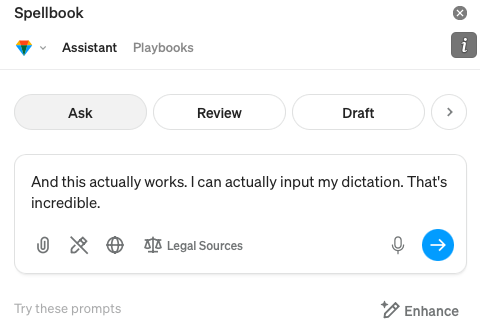
With Spellbook, you can now tap the microphone in Ask and speak your prompt instead of typing it, so you can stay focused and get the answer you need faster.
Product Knowledge Skill
Have a question about how a Spellbook feature works? Finding the answer used to mean stopping what you're doing to dig through help docs or file a support ticket.
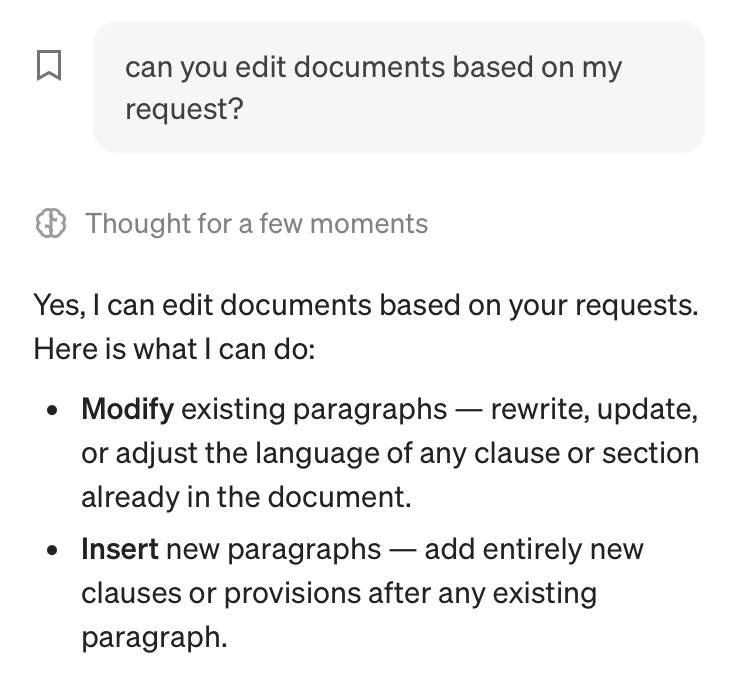
With Skills, Ask now has built-in knowledge of the entire Spellbook product so you can get accurate, instant answers right where you're working and keep moving without skipping a beat.
"Apply All" Button in Chat Editing
When the chat editing tool suggests changes across a long document, accepting them one by one can take your attention away from the actual work.
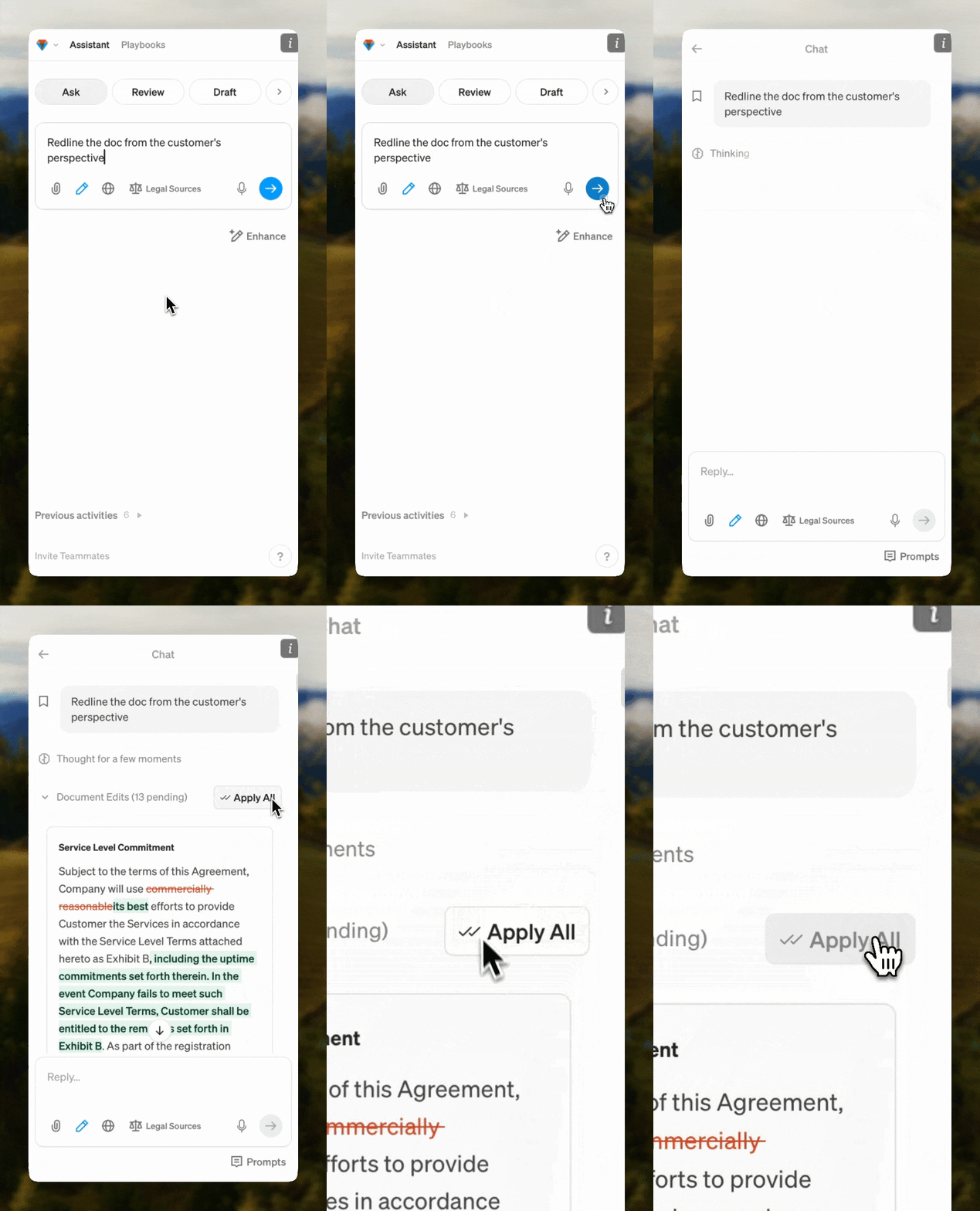
With Spellbook, you can now apply every suggested change with a single click so you can move through a full set of edits in seconds.
Reviews are more focused, more powerful, and more yours.
With Reviews, you've always been able to catch what's buried and improve your position fast. This month, every review you run gets sharper, your final pass gets its own dedicated tool, and the results are easier than ever to act on and share.
Smart(er) Reviews
Running a General, Negotiate, or Custom Review on a complex contract often returns a long list of suggestions, and it's hard to know where to start when everything looks equally urgent.
With Spellbook's updated review engine, you now get fewer, higher-quality items, better party representation, and a live status indicator that shows you exactly which provisions are being analyzed as the review is running.
Proofreading
Cleaning up issues like broken cross-references, undefined terms, and leftover placeholders can get buried inside General Review results, and they're easy to miss before a document goes out.
.png)
With Proofreading, you've got a dedicated tool for your final pass that focuses specifically on contract cleanup so you can catch every issue quickly and send the document out with confidence.
Playbook Version History
You've made edits to a Playbook and something isn't working the way it used to, but there's no way to see what changed or roll it back to an earlier state.
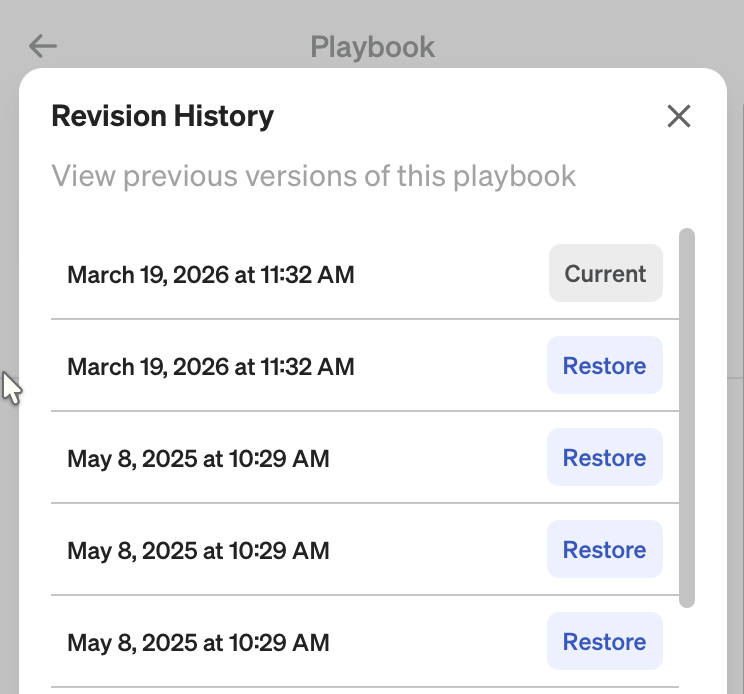
With Playbook Version History, every change to a Playbook is now tracked so you can see what was updated, when it was updated, and restore a previous version if needed.
Playbook Rule Conflict Detection
You're building out a Playbook with multiple rules and fallback positions, but conflicting instructions can go unnoticed and produce inconsistent results during a review.
Spellbook now automatically detects conflicting rules inside your Playbooks and flags them before you run a review so you can fix issues at the source and trust that your Playbook is working exactly as intended.
Playbook Generation Improvements
When you're building a Playbook from your own legal documents, the output has historically been limited to basic pass/fail rules.
You can now generate fallback positions, risk levels, and reviewer notes from your uploaded docs so the Playbooks you build are richer and ready to use from the start.
Regenerate Review Revisions
Sometimes, an AI-suggested revision doesn't land quite right. But there's no easy way to undo it or try again without disrupting the rest of your review.
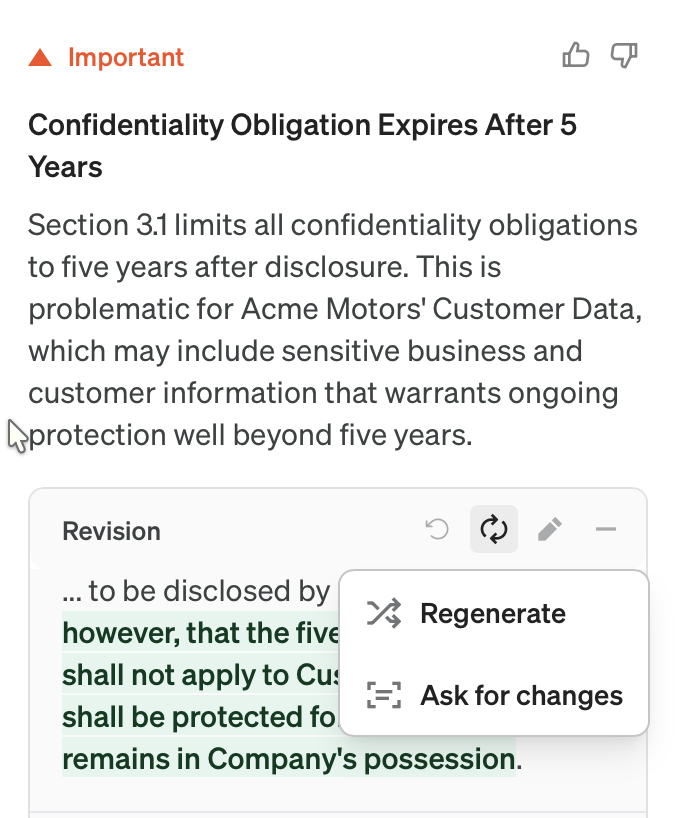
After running a review, you can now undo and regenerate review revisions, giving you full control over the output for both AI-generated suggestions and your own manual edits.
Recommended Prompts (for Playbook Questions)
A Playbook Question check tells you what a contract says, but sometimes leaves you to figure out what to do about it.
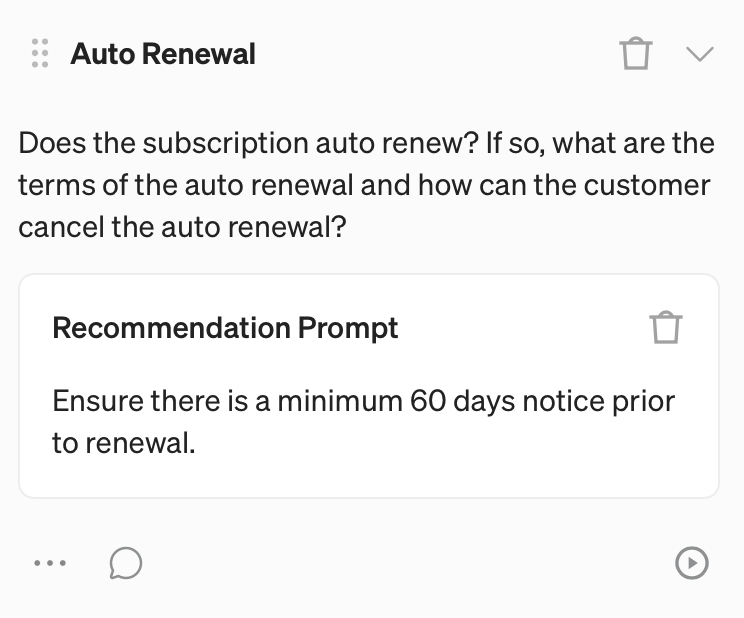
You can now attach a Recommendation Prompt to any question in your Playbook so that when it runs, you also get a tailored, actionable recommendation alongside the answer that’s included in all PDF and DOCX exports.
Associate got to know you better (and got a lot more powerful)
With Associate, you can now run complex, multi-document matters from start to finish without ever leaving the app, and it already knows everything about your company before you type a single word.
Direct Editing in Associate (Beta)
Every time Associate used to produce a draft or make a change, you had to download the file, open Word, review the edits, and re-upload. Not anymore.
With Associate's new built-in document editor, AI edits are applied as tracked changes right inside the app so the full edit loop happens in Spellbook without you ever having to leave.
Company Profiles
Every time you had to start a new project in Associate, you'd have to spend the first few minutes re-explaining everything about your organization and how you work.
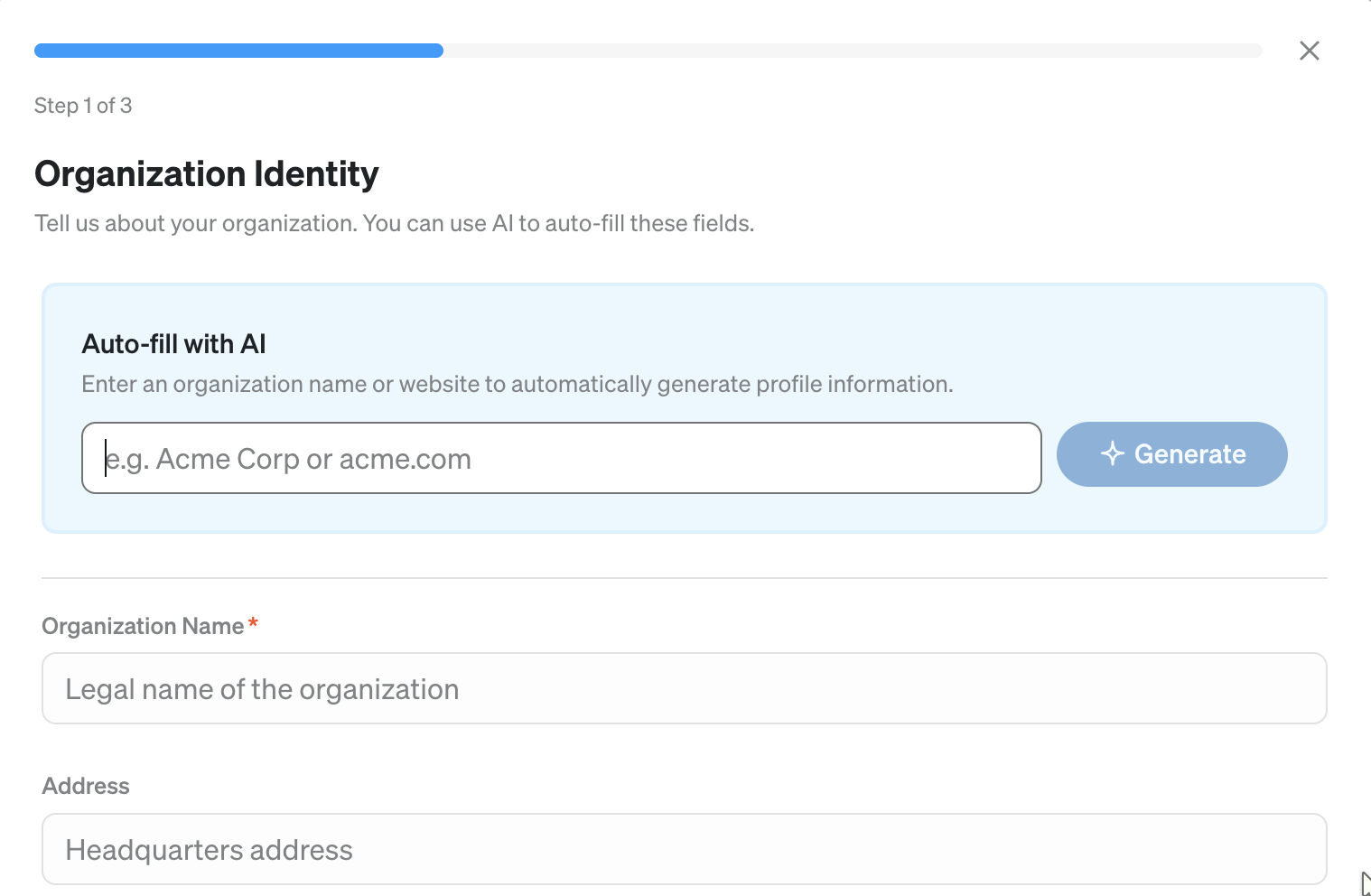
With Company Profiles, build a profile of your organization once and Associate will automatically apply that context to every project, chat, and edit so you can get straight into the work from the moment you open a new matter. And yes, you can build profiles for individual clients too.
Pinned Projects
As your project list grows, finding the right project quickly starts to feel like its own task.
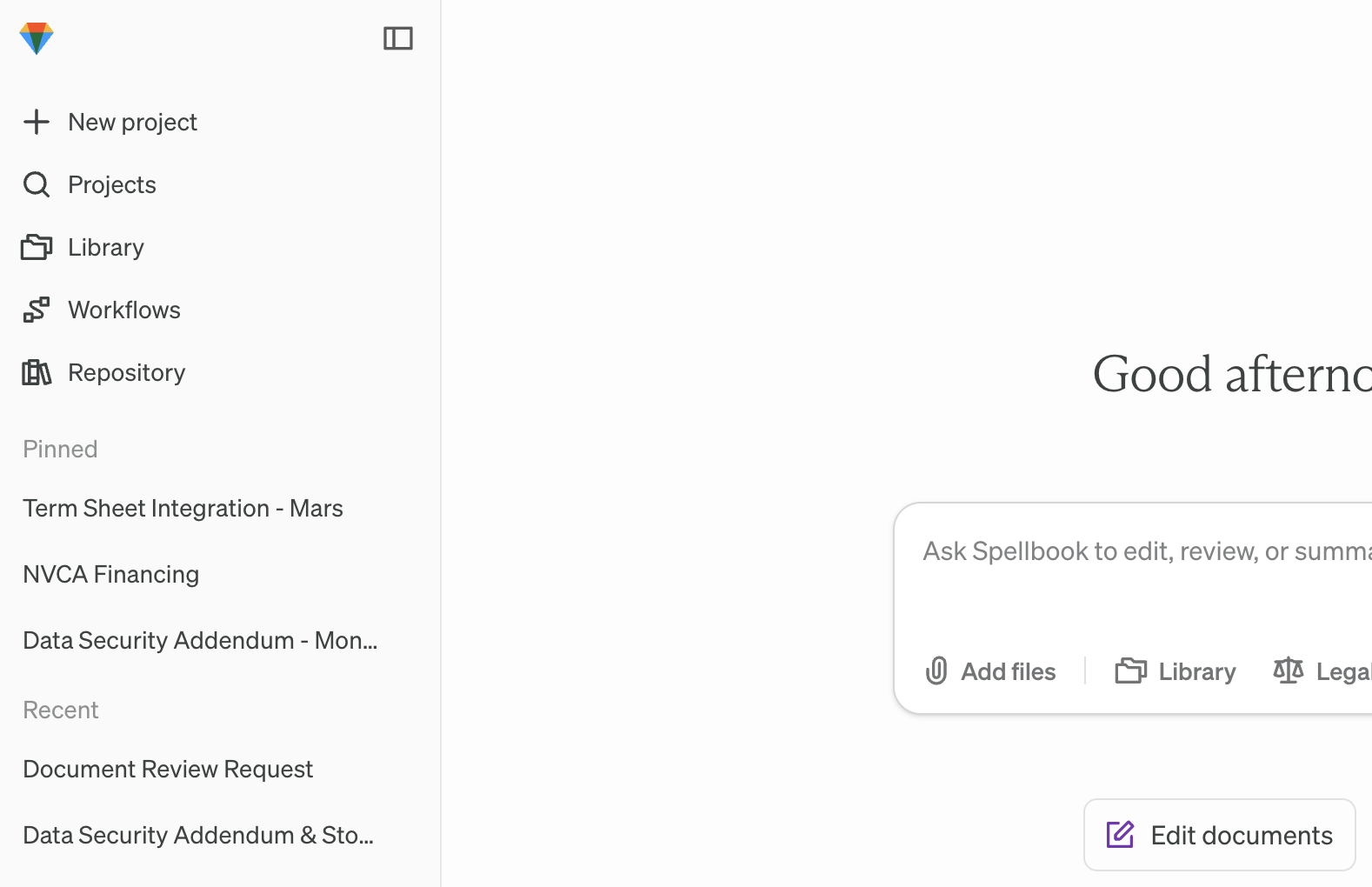
You can now pin your most active projects to the top of the sidebar so they're always one click away, keeping your most important work front and center.
And that's a wrap on March
Thirteen updates across the Spellbook product suite. April is already looking busy, so stay tuned for what’s next .
Already a Spellbook customer? Reach out to our support team or your CSM if you have any questions.
Not using Spellbook yet? Join the 4,000+ teams using the most complete AI suite for commercial legal work.
Download the Report
Thank you! Check your primary inbox or promotions tab for the report.
.png)
Thank you for your interest! Our team will reach out to further understand your use case.
Spellbook is the most complete AI suite for commercial legal work, trusted by more than 4,000 in-house teams and law firms worldwide.

SOC 2 Type II

HIPAA

GDPR

EU AI Act

HIPAA Compliant
